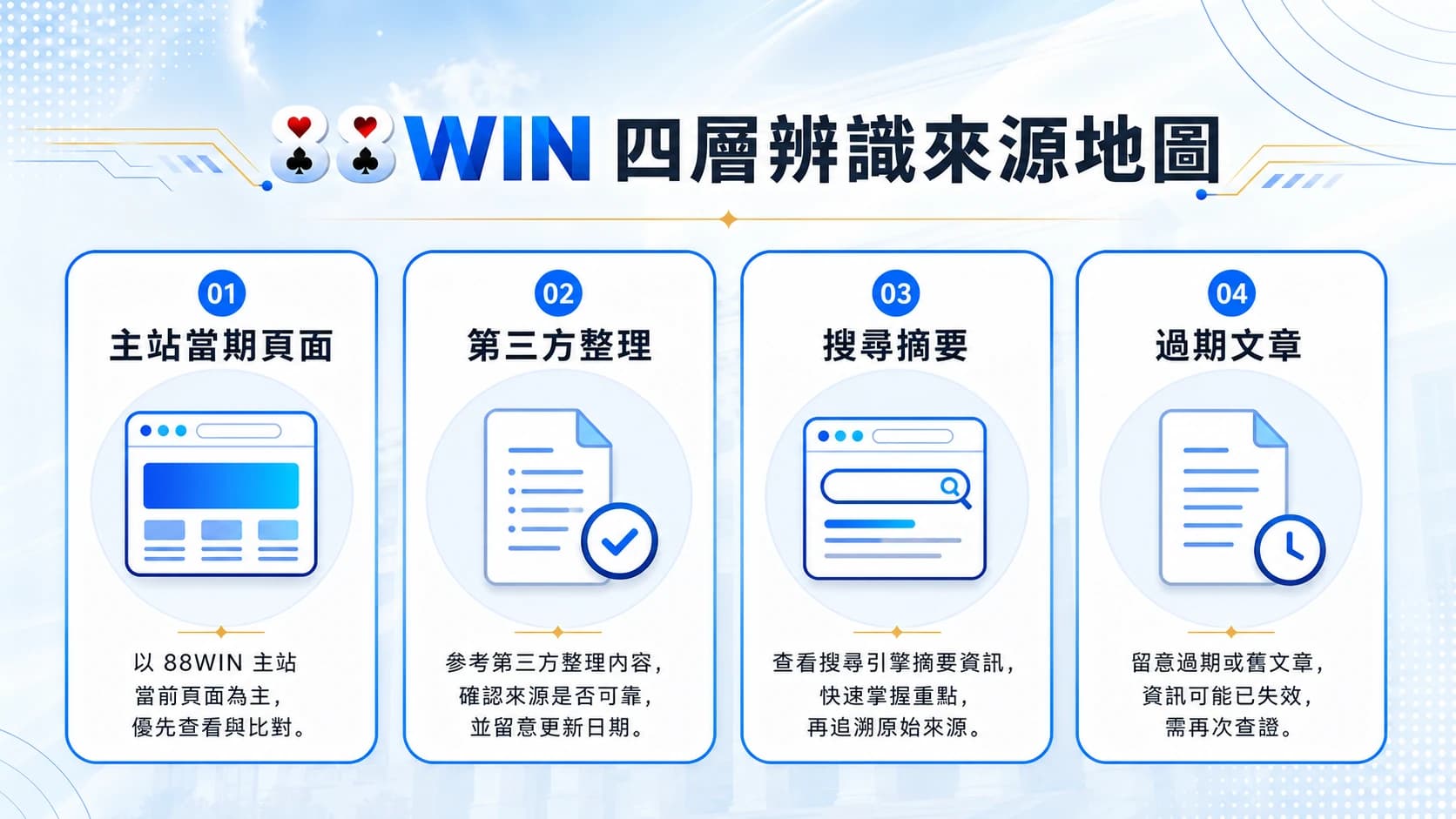
How to check an 88WIN URL: lookalike domains and an entry-point checklist
Checking an 88WIN URL? A walkthrough of complete domains, HTTPS, redirects, page purpose, and source checks — including when to stop rather than continue.
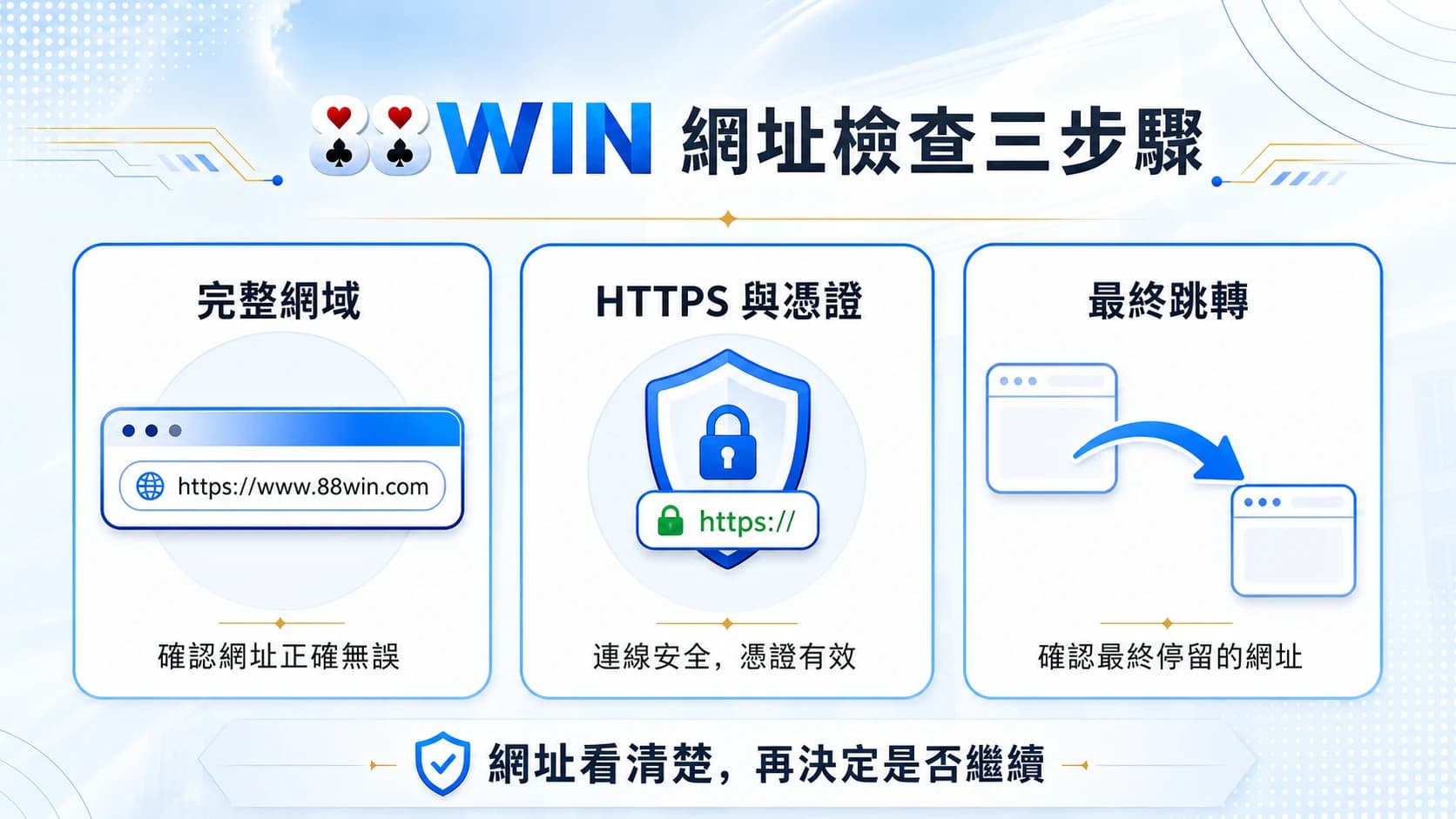
Lookalike domains work because most people read only the first half of a URL, or read the logo instead. Reading the address bar end to end, confirming what the page is for, and only then deciding whether to type anything, is the minimum bar before entering.
Start with the complete domain
The address bar shows the complete domain; the logo does not. Read right to left: the suffix first, then the main domain, then subdomains and path. The spot attackers most often tamper with is the one most people check last.
| Where to look | What to check | Common technique |
|---|---|---|
| Domain suffix | Whether .tw, .com, etc. matches what you expect | Same prefix, different suffix |
| Main domain spelling | Every letter, digit, and their order | Swapping l for 1, adding or dropping a character |
| Hyphens | Whether any extra hyphen has appeared | Inserting a hyphen inside the brand name |
| Subdomain | The real main domain sits before the last dot | Putting the brand name in a subdomain to survive a quick glance |
| Path | Whether the page's purpose matches your intent | An information page dressed up as a login page |
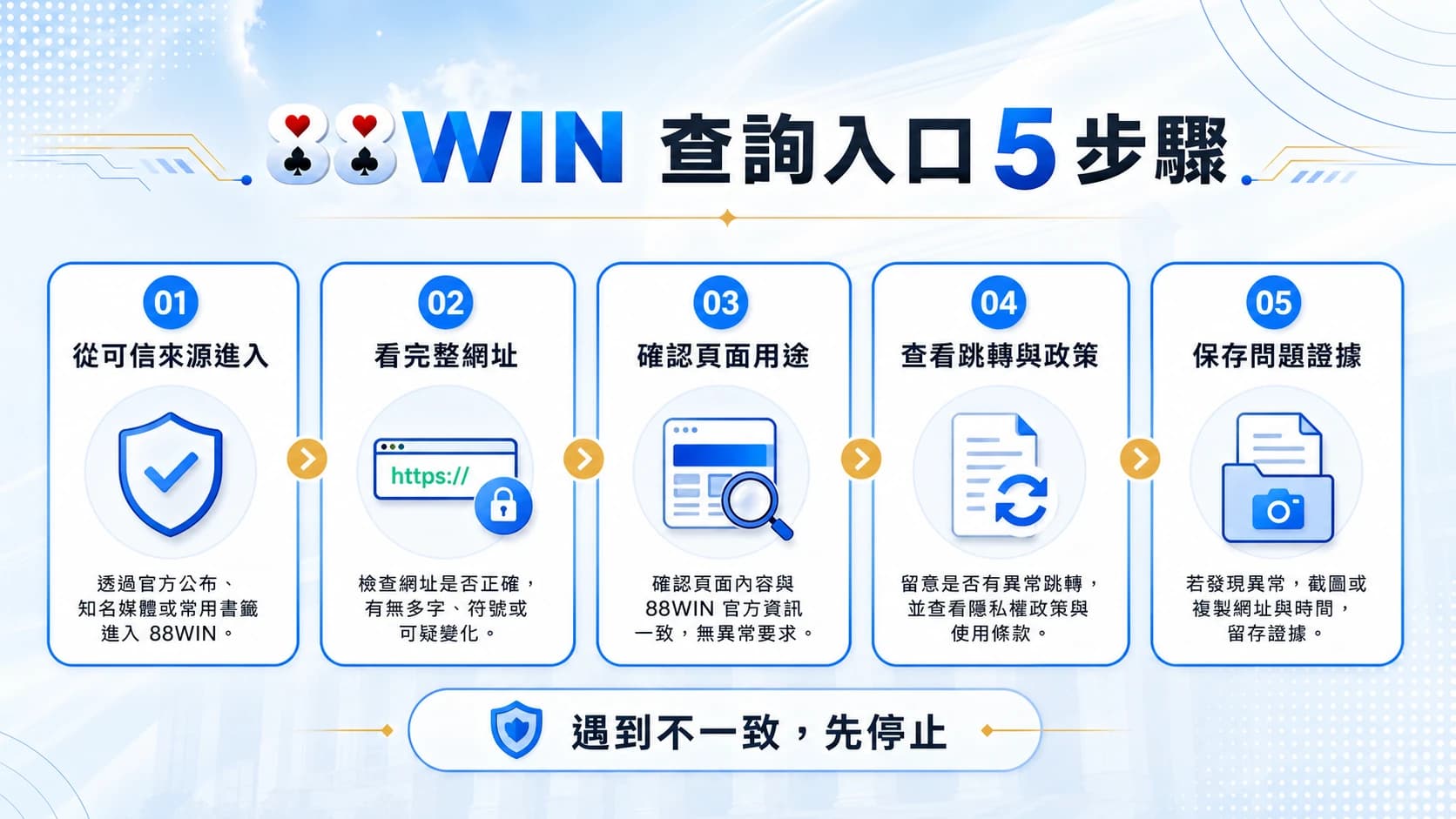
Five checks — stop at the first mismatch
- Read the complete domain — Don't read the logo. Read the address bar from start to finish.
- Confirm what you came to do — Reading about the brand, logging in, registering, depositing, and contacting support are different page purposes.
- Find the first-party source — Prefer pages reachable from the main site's navigation or formal policy pages.
- Check dates and terms — Bonuses, payment methods, and service hours change; undated instructions are background only.
- Stop when sensitive data is requested — Passwords, one-time codes, and bank details don't get handed over because someone says they're support.
The order: complete domain, page purpose, first-party source, dates and terms, protect sensitive data.
When not to keep clicking
- The URL differs from your recorded domain by even one character
- Clicking triggers several redirects through domains you've never seen
- The page asks for an SMS code, a password, or full identity documents
- You're told a deadline expires in minutes and must act now
- The page's purpose contradicts its path — an information page demanding a login
Keep your own record of the URL
Rather than judging on the spot each time, write the complete domain you've confirmed into your own notes, with the date you wrote it. From then on, any similar URL is a string comparison rather than a memory test.
FAQ: identifying an 88WIN URL
Does HTTPS mean this is the correct entry point?
No. HTTPS guarantees the connection is encrypted in transit; it says nothing about who is behind the site. A lookalike domain can obtain a certificate and display the padlock just as easily.
If 88win5 appears in the URL, can I just log in?
No. Where a string appears matters — in a subdomain or path is entirely different from forming the main domain. Compare the whole domain regardless.
What about links arriving by LINE or SMS?
Don't tap them. Type your own recorded URL manually, or navigate from a known entry point. That the sender looks like someone you know doesn't change this.
When something looks wrong, prefer reversible steps
Close the tab, enter nothing, and keep a record of the time, the complete URL, and what you saw. If you already entered a password, change it and review the login history. If you passed on a verification code, raise it through a verifiable support channel promptly. Reversible action beats guesswork.
In closing: URL checking is the minimum bar
Checking a URL doesn't eliminate every risk, but it is the cheapest and most direct step available. Make reading the full domain a habit and most lookalike techniques fail at the first gate.